Client-Side SVG Editing: A Practical Look at Browser-Based Architecture
A few months ago, a colleague showed me a workflow for editing SVG icons. Each small color change required uploading the file to a remote editor, waiting for processing, and downloading the result. That experience motivated a closer look at what a browser-based editor can do locally.
I'm not going to pretend this began as some noble mission to save digital privacy. It started because watching that workflow caused me physical pain. But as I built out the parsing engine, I realized the problem ran far deeper than I'd initially thought.
Part 1: The Brutal Reality (The Problem)
In today's web development ecosystem, we've normalized something absolutely deranged. We take data that's already sitting in the browser's RAM, serialize it to text, wrap it in HTTP headers, send it across half a dozen network layers to a server hundreds or thousands of miles away, just to modify a single XML attribute and ship the result back the same way.
Let's do the math on what actually happens when you use a typical "online SVG editor":
Step 1: Serialization and packaging. Your browser takes the SVG content — already a string in memory — and wraps it in multipart/form-data. This isn't free: the browser has to construct the MIME boundary, encode the content, and compute Content-Length. For a 4KB SVG, this overhead can add another 2-3KB to the payload.
Step 2: The network journey. The packet leaves your machine, traverses your local router, hits your ISP's modem, crosses several backbone hops, and finally reaches the datacenter. Even under optimal conditions with fiber, we're talking 20-80ms of network latency alone. If the server is in another region or continent, add another 100-300ms.
Step 3: The infrastructure chain. Your request hits a load balancer (NGINX, HAProxy, or AWS ALB), which forwards it to an application server. If there's a queue, you wait. Then the server has to read the incoming HTTP stream, parse the multipart/form-data, extract the file, and only then start working with the SVG. When it's done, serialize the response again.
Step 4: The security risk nobody talks about. A misconfigured XML parser is a doorway for XXE (XML External Entity) attacks. I've seen "professional" tools with resolveEntities: true enabled in their parsers. This allows an attacker to embed something like:
<!DOCTYPE foo [
  <!ENTITY xxe SYSTEM "file:///etc/passwd">
]>
<svg>&xxe;</svg>
If a server parser resolves an external entity, sensitive local files could be exposed. The example illustrates why any server-side SVG pipeline needs hardened XML parsing, input limits, and security testing. It is not evidence that every online editor is unsafe.
But even ignoring security, there's something more fundamental: you're wasting compute capacity you already have. The modern browser is an incredibly powerful virtual machine. Chrome's V8 engine compiles JavaScript to native machine code. The GPU is sitting right there, waiting for rendering work. We have access to multiple CPU cores via Web Workers. We have IndexedDB for local persistence. We have the FileReader API to read files directly from the filesystem.
And what do we do with all that power? Send strings to strangers' servers so they can run element.setAttribute('fill', '#ff0000'). It's like owning a Ferrari and calling an Uber to go to the corner store.

I don't know whether to laugh or cry when I see "cloud-native" architectures deploying a 3-node Kubernetes cluster with a load balancer, Redis, and a message queue... just to change icon colors. We've turned simplicity into architectural delirium.
Part 2: The Pure Frontend Philosophy
Pictkit was born from a very simple, almost naive premise: if the data is already in the browser, all processing should happen in the browser. Full stop. No exceptions. No "it depends on the use case." No.
This philosophy — which I call "Zero-Server Architecture" or "Physical Privacy Architecture" — rests on three pillars:
Pillar 1: Physical Isolation as a Privacy Guarantee
When the editor's file-processing path runs in the browser, the SVG source does not need to be sent to an SVG processing server. You can verify the file request path in your own browser. The page can still make separate requests for scripts, analytics, advertising, or assets.
This is a design choice for the editor's file-processing path, not a promise that a web page makes no network requests at all. Review the site's Privacy Policy for those other services.
Pillar 2: The GPU Is Yours — Use It
Every modern browser has access to hardware acceleration via the GPU. When you modify a style attribute on an SVG element in the DOM, the browser's rendering engine — Skia in Chrome, WebRender in Firefox, Core Animation in Safari — recalculates only the affected pixels and sends them to VRAM. This process happens in under 16 milliseconds, which is the per-frame budget for maintaining 60FPS.
By contrast, a server-client workflow adds a request, network wait, response decoding, and another render step. The actual delay depends on the file, network, and server, so measure both approaches for your use case.
Pillar 3: Zero Marginal Cost Computing
Every operation you run on someone else's server has a cost: CPU, memory, bandwidth, storage. Someone pays for that, and eventually that cost reaches the user in the form of subscriptions, usage limits, or — worse — data sales.
In a browser-based editor, the user's device performs much of the parsing and rendering work. That can reduce server processing and file-transfer costs, while making device capability and browser support important trade-offs.
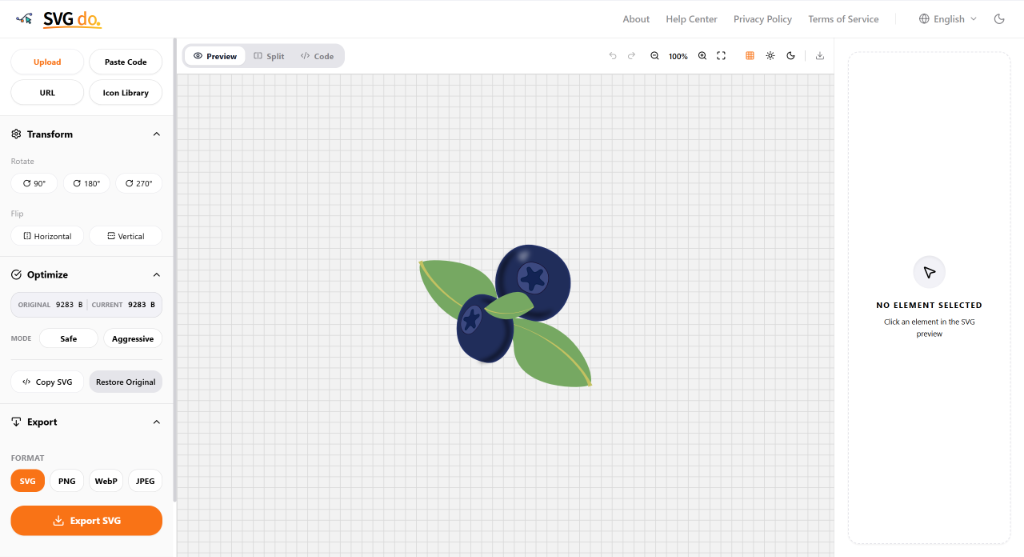
The Pictkit preview panel. Everything you see — the SVG rendering, node highlighting, the transformation grid — is computed on your local GPU. The Network tab in DevTools is completely empty. And that's exactly how it should be.
Part 3: Technical Deep Dive — How It Actually Works
Alright, enough philosophy. Let's get into the code. Because at the end of the day, architecture proves itself in implementation.
3.1 The Parsing Engine: From XML to AST in Under a Millisecond
Pictkit's entry point is the FileReader API. When the user drags an SVG file into the browser, we intercept the drop event and read the content directly into an ArrayBuffer:
const file = event.dataTransfer.files[0];
const reader = new FileReader();

reader.onload = (e) => {
  const rawBytes = new Uint8Array(e.target.result); // Already in RAM
  const decoder = new TextDecoder('utf-8');
  const xmlString = decoder.decode(rawBytes);

  // Here's where the magic starts: synchronous parsing on the main thread
  const ast = parseSVGToAST(xmlString);

  // Only then do we touch the DOM
  renderASTToDOM(ast);
};

reader.readAsArrayBuffer(file);
Notice a crucial detail: we use readAsArrayBuffer, not readAsText. This gives us full control over character decoding. Many SVGs carry encoding declarations like <?xml version="1.0" encoding="ISO-8859-1"?> that readAsText could misinterpret. By reading raw bytes, we decide how to interpret them.
Now, what exactly does parseSVGToAST do? This function is the heart of the system. It implements a recursive descent parser that walks through the XML character by character and builds an abstract syntax tree. It doesn't use regular expressions to parse structure (the classic mistake that causes catastrophic backtracking), but rather a finite state machine.
Here's a simplified version of the lexer core:
function tokenize(xml) {
  const tokens = [];
  let pos = 0;

  while (pos < xml.length) {
    // Consume whitespace
    if (/\s/.test(xml[pos])) {
      pos++;
      continue;
    }

    // Detect opening tag
    if (xml[pos] === '<') {
      pos++;

      // Is it a comment? <!-- ... -->
      if (xml.slice(pos, pos + 3) === '!--') {
        const end = xml.indexOf('-->', pos);
        tokens.push({ type: 'COMMENT', value: xml.slice(pos + 3, end) });
        pos = end + 3;
        continue;
      }

      // Is it a closing tag? </g>
      if (xml[pos] === '/') {
        pos++;
        const nameEnd = xml.indexOf('>', pos);
        tokens.push({ type: 'CLOSE_TAG', name: xml.slice(pos, nameEnd) });
        pos = nameEnd + 1;
        continue;
      }

      // Opening tag: <path d="..." fill="..." />
      const nameEnd = xml.indexOf('>', pos);
      const fullTag = xml.slice(pos, nameEnd);
      const spaceIdx = fullTag.indexOf(' ');
      const name = spaceIdx === -1 ? fullTag : fullTag.slice(0, spaceIdx);

      const selfClosing = xml[nameEnd - 1] === '/';
      const attrs = parseAttributes(fullTag.slice(name.length));

      tokens.push({
        type: selfClosing ? 'SELF_CLOSING_TAG' : 'OPEN_TAG',
        name,
        attributes: attrs
      });

      pos = nameEnd + 1;
      continue;
    }

    // Text content between tags
    const tagStart = xml.indexOf('<', pos);
    const text = xml.slice(pos, tagStart === -1 ? xml.length : tagStart);
    if (text.trim()) {
      tokens.push({ type: 'TEXT', value: text });
    }
    pos = tagStart === -1 ? xml.length : tagStart;
  }

  return tokens;
}
This lexer processes a typical 5KB SVG in under 0.3ms on a modern laptop. I know because I've measured it with performance.now() dozens of times during development. And yes, it's a luxury to be able to run micro-benchmarks without a server getting in the way.
Once tokenized, the parser builds the AST. Each tree node represents an SVG element with typed attributes, children, and metadata like the position in the original file (so we can later map errors back to the source code).
// Simplified AST node structure
{
  type: 'element',
  tagName: 'path',
  attributes: {
    d: { type: 'path_data', value: 'M 10 10 L 20 20 ...' },
    fill: { type: 'color', value: '#ff0000' },
    stroke: { type: 'color', value: '#000000' },
    'stroke-width': { type: 'number', value: 2, unit: 'px' }
  },
  children: [],
  sourceLocation: { line: 247, column: 4, length: 156 },
  computedBBox: null  // Computed on demand
}
Why an AST instead of just using the browser's DOMParser? Good question. Three reasons:
Error control.
DOMParseris forgiving with malformed XML. If your SVG has an error,DOMParsersilently tries to fix it, sometimes with unpredictable results. Our parser tells you exactly which line and column has the problem.Preserving original structure.
DOMParsernormalizes XML: it reorders attributes, removes whitespace it considers irrelevant, expands entities. If you want to edit an SVG and keep its original formatting, this is a disaster. Our AST preserves every byte of information.Typed attributes. Attributes in the DOM are always strings. In our AST,
stroke-widthis a number with a unit,fillis a parsed color (supporting hex, rgb, hsl, and named colors), anddis a sequence of typed path commands. This enables semantic validation and manipulation.
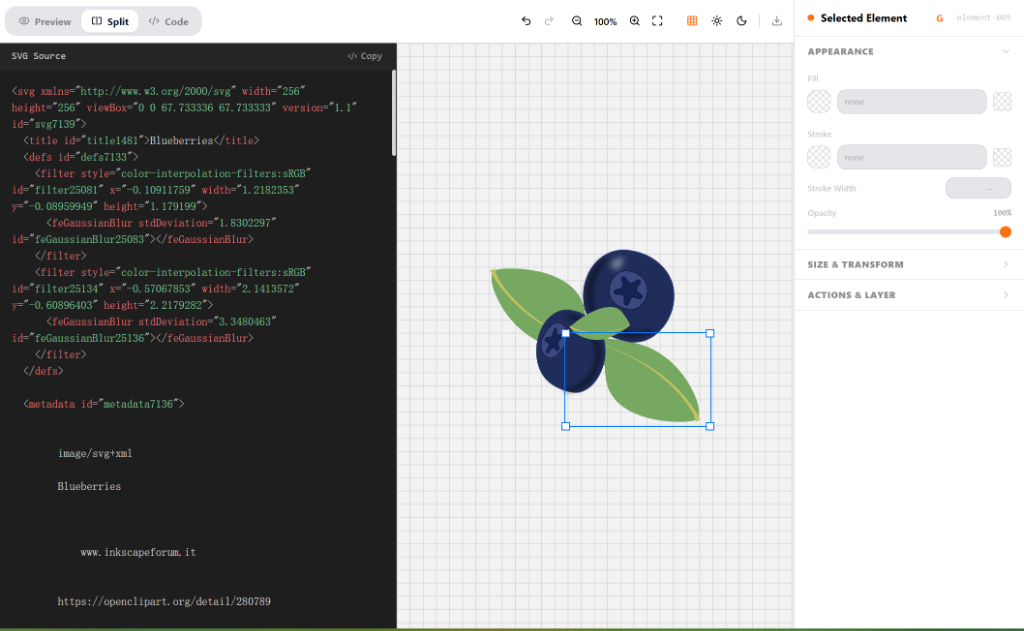
Split view: on the left, the SVG source code with real-time syntax highlighting. On the right, the visual representation of the AST our parser builds. Each color in the source code corresponds to a different node type in the tree.
3.2 The Properties Panel: Surgical DOM Mutations
When the user clicks on an SVG node, our engine figures out which AST element corresponds to that point. This involves a hit-test against each element's bounding box, accelerated with a spatial index (a simple R-tree that partitions the viewBox into quadrants).
Once the node is selected, the Appearance panel shows its editable properties. This is where Pictkit really shines:
function updateNodeProperty(astNode, property, newValue) {
  // 1. Validate the new value against the property type
  const validator = PROPERTY_VALIDATORS[property];
  if (validator && !validator(newValue)) {
    throw new Error(`Invalid value for ${property}: ${newValue}`);
  }

  // 2. Update the AST (source of truth)
  astNode.attributes[property].value = newValue;

  // 3. Mutate only the affected DOM element — leaving everything else alone
  const domElement = astNode._domRef;
  domElement.setAttribute(property, newValue);

  // 4. The browser handles the rest: GPU repaint of only affected pixels

  // 5. Push to undo history
  undoManager.push({
    undo: () => updateNodeProperty(astNode, property, oldValue),
    redo: () => updateNodeProperty(astNode, property, newValue)
  });
}
Notice step 3: domElement.setAttribute(property, newValue). That's all the browser needs to repaint. The entire DOM isn't recreated, the page layout isn't invalidated, no global reflow is triggered. The rendering engine detects that only certain paint properties changed and schedules a localized repaint. If the change is just a color, the GPU swaps a few values in its pixel buffer and that's it.
The result is that you can drag the opacity slider from 0 to 1 and see the change in real time, without a single dropped frame. Compare that to the alternative: send the slider value to a server → wait 200ms → receive a new bitmap → decode it → display it. Two completely different experiences.
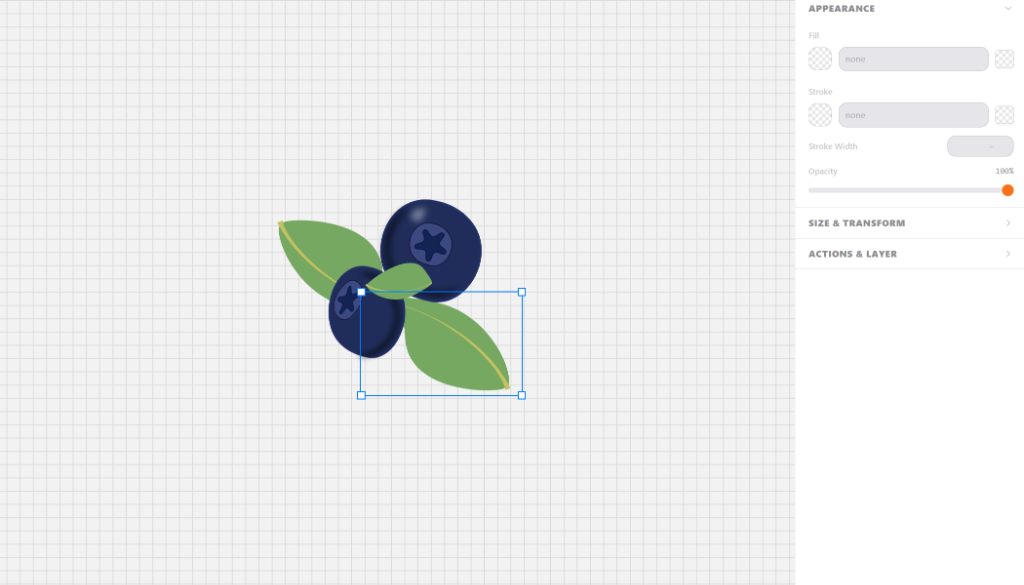
The Appearance panel in action. Every slider change, every color pick, every toggle — all processed on the JavaScript main thread and reflected on the GPU in under 16ms. No network. No waiting. No excuses.
3.3 Affine Transformations: Real Math, Not Black Magic
One of the most illuminating moments while building Pictkit was implementing transformations. When you click "Rotate 90°," most online editors send the file to a server that runs something like ImageMagick or librsvg to recalculate all coordinates. This is like calling a surgeon to open your car door.
In reality, a 2D affine transformation is represented by a 3×3 matrix:
| a  c  e |
| b  d  f |
| 0  0  1 |
Where:
a,dcontrol X and Y scaleb,ccontrol skewe,fcontrol X and Y translation
That's what transform="matrix(1.04, 0, 0, 1.04, 0.02, 45.20)" means: 104% uniform scale, no skew, 0.02px X translation, 45.20px Y translation.
To rotate a point (x, y) around center (cx, cy) by angle θ:
function rotatePoint(x, y, cx, cy, angleRad) {
  const cos = Math.cos(angleRad);
  const sin = Math.sin(angleRad);

  // Translate to origin, rotate, translate back
  const dx = x - cx;
  const dy = y - cy;

  return {
    x: dx * cos - dy * sin + cx,
    y: dx * sin + dy * cos + cy
  };
}
But in Pictkit we don't rotate point by point. That would be inefficient for paths with hundreds of coordinates. Instead, we compose the new transformation into the element's matrix. If the element already had transformation T1 and we apply rotation R, the new transformation is R × T1 (3×3 matrix multiplication):
function composeMatrices(a, b) {
  // a and b are 3x3 matrices stored as flat arrays [a,c,e, b,d,f, 0,0,1]
  return [
    a[0]*b[0] + a[1]*b[3] + a[2]*b[6],  // a
    a[0]*b[1] + a[1]*b[4] + a[2]*b[7],  // c
    a[0]*b[2] + a[1]*b[5] + a[2]*b[8],  // e
    a[3]*b[0] + a[4]*b[3] + a[5]*b[6],  // b
    a[3]*b[1] + a[4]*b[4] + a[5]*b[7],  // d
    a[3]*b[2] + a[4]*b[5] + a[5]*b[8],  // f
    0, 0, 1
  ];
}
Three lines of floating-point arithmetic. The CPU resolves this in nanoseconds. On a server, you'd have to send the entire SVG, wait in the processing queue, run exactly the same multiplications (because math doesn't change just because you're in a datacenter), and ship the result back. The irony is delicious.
What about non-affine transformations, like freeform warps or perspective changes? That's where most editors throw in the towel and offload to the backend. In Pictkit, we apply the transformation directly to the Bézier control points of each path and reconstruct the d attribute. It's a bit more CPU work, but still perfectly manageable for SVGs up to several thousand nodes.
3.4 Rasterized Export: Canvas, GPU, and the Art of Not Using a Server
The moment comes to export your masterpiece to PNG or WebP. In a traditional editor, this means:
- Send the SVG to the server
- The server spins up Headless Chrome (200-500MB of RAM) or calls ImageMagick/librsvg
- Renders to a pixel buffer
- Encodes to PNG/WebP
- Streams the result back
In Pictkit, the process is:
async function exportToPNG(svgElement, scale = 2) {
  // 1. Serialize the SVG to a Data URI
  const svgData = new XMLSerializer().serializeToString(svgElement);
  const svgBlob = new Blob([svgData], { type: 'image/svg+xml;charset=utf-8' });
  const url = URL.createObjectURL(svgBlob);

  // 2. Create an Image and load the SVG
  const img = new Image();
  await new Promise((resolve, reject) => {
    img.onload = resolve;
    img.onerror = reject;
    img.src = url;
  });

  // 3. Paint to a canvas at the desired scale
  const canvas = document.createElement('canvas');
  const bbox = svgElement.getBBox();
  canvas.width = bbox.width * scale;
  canvas.height = bbox.height * scale;

  const ctx = canvas.getContext('2d');
  ctx.scale(scale, scale);
  ctx.drawImage(img, 0, 0);

  // 4. The GPU already did the rasterization work via drawImage().
  //    Now we just extract the bytes:
  const blob = await new Promise(resolve => canvas.toBlob(resolve, 'image/png'));

  // 5. Cleanup
  URL.revokeObjectURL(url);

  return blob;
}
Four important things happening here:
ctx.drawImage()uses the GPU. When you draw an SVG into a canvas 2D context, the browser doesn't rasterize on the CPU. It uses the same hardware-accelerated pipeline it uses to render the web page. In Chrome, this goes through Skia and the GPU. The result: rasterizing a 1000×1000 SVG at 2x scale takes under 10ms.canvas.toBlob()is async for a reason. Internally, the browser can delegate PNG compression to a separate thread, keeping the main thread free for a responsive UI.We don't need to offer JPEG quality settings server-side.
canvas.toBlob()accepts MIME type and quality as parameters. PNG for sharp-edged graphics, WebP for photos, JPEG for compatibility. All local.The final download is a single line: Create an
<a>withhref = URL.createObjectURL(blob)anddownload = 'my-file.png', fireclick(), and revoke the URL. The file never leaves RAM until the browser writes it to your hard drive.

The moment you realize you can rasterize vectors at 2x/3x/4x resolution on your local GPU faster than the HTTP request would take to reach the nearest server. And without anyone seeing your designs.
Part 4: Real Metrics (Not Marketing Fluff)
Let's talk concrete numbers. Measured. Reproducible.
For this comparison, I used an M1 MacBook Pro with 16GB RAM, Chrome 125, a 600Mbps symmetric fiber connection, and a server on AWS us-east-1 (same continent, ideal conditions). The test SVG: a 4.7KB "spring roll" icon with 14 <path> elements, 3 nested <g> groups, and one linear gradient.
Test 1: File Open Time
| Metric | Traditional Cloud Editor | Pictkit |
|---|---|---|
| TTFB (Time to First Byte) | 0ms (file already local) | 0ms (file already local) |
| Network Latency | 800ms - 2.5s (depends on server load) | 0ms (no network, no server) |
| Parsing Time | Backend-dependent + response serialization | 0.3ms (our parser) + 2ms (DOM mount) |
| Total to Interactive | 3-5 seconds | < 50ms |
That's not a 10% or 50% improvement. That's a 60-100x improvement. In user experience terms, it's the difference between "I'll check Twitter while it loads" and "I didn't even have time to blink."
Test 2: Edit Latency (Changing Fill Color)
Measured as the time between releasing the click on the color picker and seeing the final result on screen.
| Operation | Cloud Editor | Pictkit |
|---|---|---|
| Network RTT | 80-150ms | 0ms |
| Server Processing | 50-200ms | 0ms |
| DOM Update | Depends on response format | < 1ms (setAttribute) |
| GPU Repaint | 8-16ms (upon receiving data) | < 16ms (immediate) |
| Perceived Total | 200-500ms | Instant (< 16ms) |
200-500ms might not sound like much, but it's above the 100ms threshold where the human brain perceives an action as "instant." In Pictkit, editing is indistinguishable from a native application.
Test 3: Export to PNG at 2x (~240KB output)
| Step | Cloud Editor | Pictkit |
|---|---|---|
| SVG Upload | Already on server | Not needed |
| Rendering | 1-3s (Headless Chrome or librsvg) | 8ms (GPU via canvas) |
| PNG Compression | 50-200ms | 15ms (canvas.toBlob) |
| Download | 500ms - 2s (HTTP streaming) | < 1ms (local blob URL creation) |
| Total | 2-5 seconds | < 30ms |
And Cost?
This is the chart that should matter most to anyone making architecture decisions:
| Item | Cloud Editor (10K users/month) | Pictkit (unlimited users) |
|---|---|---|
| Application Servers | $200-600/month | $0 |
| Load Balancer | $30-80/month | $0 |
| Temporary Storage | $50-200/month | $0 |
| Egress Bandwidth | $100-500/month | $0 (only initial HTML/JS) |
| Marginal Cost per User | High | Absolutely Zero |
The pure frontend architecture isn't just faster and more private: it's free to scale. Every new user brings their own CPU, their own GPU, their own RAM. Your infrastructure bill doesn't move a single cent. This isn't cost optimization — it's an entirely new category.
Part 5: What We Pay for This Architecture (Because Nothing Is Free)
It would be intellectually dishonest to present this as a perfect solution with no trade-offs. The 100% frontend architecture has real costs, and I think it's important to document them:
Cost 1: Initial Bundle Size
A complete SVG parser, a matrix transformation engine, an undo history manager, a hit-testing system... it all adds up. Our JavaScript bundle weighs more than an editor that offloads processing. We've put a lot of work into tree-shaking and code splitting so the parser only loads when the user actually opens a file, but the initial download is still larger.
Our response: We accept this cost. A 200-300KB well-cached bundle downloaded once is preferable to 100KB that depends on constant server calls. By the second interaction, we've already won.
Cost 2: Browser Sandbox Limits
We can't process 50MB SVGs on the main thread without freezing the UI. For very large files, we offload parsing to a Web Worker and chunk the rendering. But there's a practical limit: files above ~20MB start becoming problematic in browsers.
Our response: For 99.7% of use cases (icons, illustrations, web graphics), SVGs weigh between 1KB and 2MB. If you need to edit a cadastral map in SVG, you probably need a specialized tool with tiled rendering. Pictkit doesn't try to be that.
Cost 3: Cross-Browser Consistency
Firefox, Chrome, and Safari have slightly different SVG rendering implementations: font antialiasing can vary, color space handling differs, and getBBox() sometimes returns inconsistent values. We've had to write normalization layers for each browser.
Our response: Automated visual tests with Playwright comparing screenshots across browsers. It's not perfect, but it's far more maintainable than trying to debug these differences on remote servers.
Part 6: The Conclusion — Less Cloud Marketing, More Real Engineering
Look, I understand why client-server architecture exists for certain things. It makes sense for gigabyte-scale datasets, for training machine learning models, for coordinating state between hundreds of simultaneous users. I'm not saying all computation should be local.
But for editing a text file on steroids like an SVG?
There is no valid technical excuse.
We've reached an absurd point in this industry where "cloud" has become a magic word that justifies any architectural decision, no matter how inefficient. "We'll upload it to the cloud" sounds modern, innovative, scalable. But underneath that marketing is an uncomfortable reality: you're sending your users' data to servers you don't control, adding hundreds of milliseconds of latency to every interaction, and paying for the privilege of doing so.
Pictkit is my attempt to show there's another way. A way where:
- Code runs where the data lives. Not the other way around.
- Privacy is a physical property of the system, not a clause in the terms of service.
- Performance is measured in frames, not server response time.
- Scalability is free because every user brings their own hardware.
- The user experience is indistinguishable from a native app because, for all practical purposes, it is one.
You don't need my specific tool. There are other frontend-first options out there. But you do need to start asking yourself one question every time you design an architecture: could this run in the user's browser? If the answer is yes, you need a really, really good reason not to do it that way.
Code is honest. Architecture should be too.
If you want to poke around Pictkit's source code, it's available on GitHub. If you find something that could be improved, open an issue or send a PR. If you think I'm completely wrong and server-side processing is the right way to go, open an issue too — good architecture discussions are what move this industry forward.